Your sales pipeline,
one glance away.
Dealglance puts your HubSpot, Pipedrive, and Salesforce deals on your macOS Menu Bar and iPhone Home Screen — check status, log a note, call, meeting, or task, and advance stages in seconds.
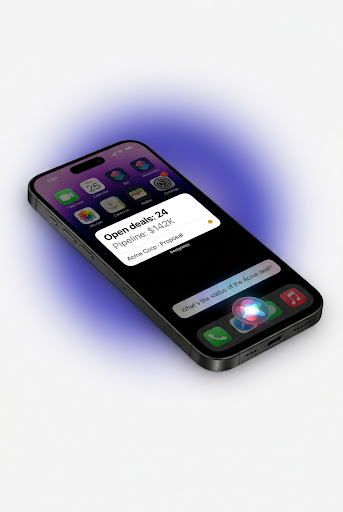
A five-second answer shouldn't cost a full CRM app.
Opening your CRM to check a single deal status is slow and distracting. You get lost in menus, notifications, and complex dashboards. Dealglance extracts exactly what you need to know, right when you need it, directly to your home screen or menu bar.
macOS Desktop Companion
A native macOS Menu Bar application and a pinnable desktop widget for Notification Center — a lightweight, glanceable pipeline tool for desk-bound professionals. Monitor your pipeline and update deal stages without switching context or opening heavy web apps.

Glanceable widgets
Keep your most important deals and pipeline metrics directly on your iOS Home Screen, Lock Screen, or macOS desktop. Customize layouts to match your workflow.
Sort, filter, and group
Sort by close date, amount, stage, or account; filter by CRM, stage, pipeline, or amount and save your favorite filters; group deals by stage with per-group totals. On Mac, customize columns and export the current view to CSV.

Safe by design
Low-risk actions like logging a note, call, meeting, or task happen instantly. Higher-risk changes — moving a stage, editing the close date or amount, marking a deal won or lost — show you a confirm-before-write summary first, so nothing changes by accident.

Direct & private
We don't store your pipeline. Dealglance communicates directly between your device and your CRM. No middleman servers.
Multiple accounts per CRM
Running two HubSpot portals, or a production and a sandbox Pipedrive account? Connect them side by side — each with its own isolated data, and every write always lands in the right one.
Stay on top of what needs attention
See your win rate and recently closed deals at a glance, and turn on a follow-up reminder when you log a note or call so nothing falls through the cracks.
Set up in seconds.
Connect Your CRM
Authorize HubSpot, Pipedrive, or Salesforce securely via official OAuth.
Configure Your View
Add iOS Home Screen widgets or launch the native macOS Menu Bar app.
Act at a Glance
Check pipeline value, log a note, call, meeting, or task, or advance a stage.
Supported CRMs
HubSpot
Pipedrive
Salesforce
Glancing is free, forever.
Every widget, Browse Deals, Deal Detail, and your full pipeline snapshot — on every connected account, on every CRM — cost nothing. No trial, no subscription, ever.
Dealglance Pro
Unlocks writes — logging notes, calls, meetings, and tasks, moving stages, and editing deals — plus up to 10 connected accounts per CRM (2 are free). Try every write free for 10 days, no payment required up front.
Your CRM credentials never touch our servers — and neither does your deal data.
Dealglance reads and writes your deals directly between your device and your CRM. Our backend only handles secure sign-in and token refresh — your deal data is cached locally on your device so everything stays in sync without a server in the loop.